3. Use cases
3.5 New cell creation
Select a cell and click on + button on the Notebook Bar to insert a new cell into the Notebook (Figure 24), below selected cell (Figure 25).
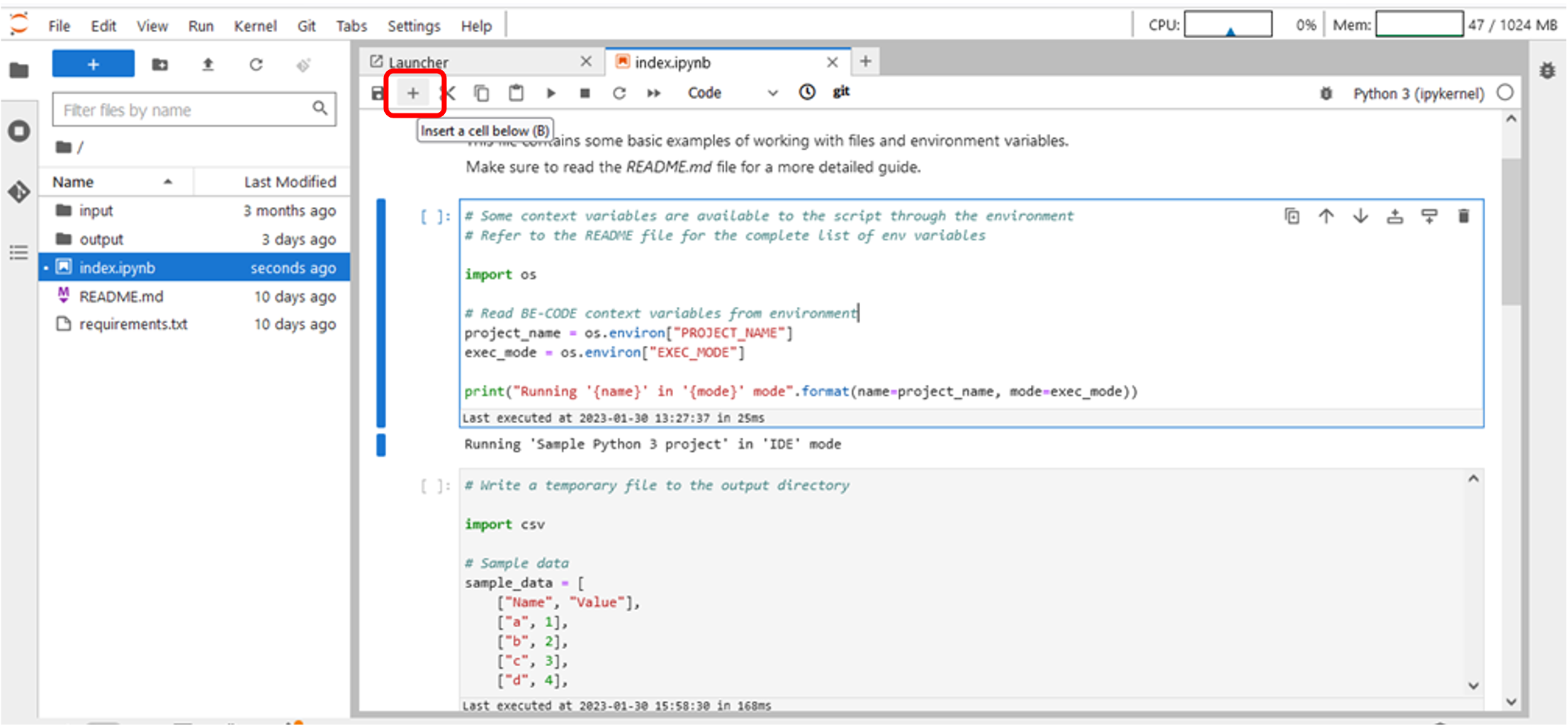
Figure 24 – New cell creation (1/2)
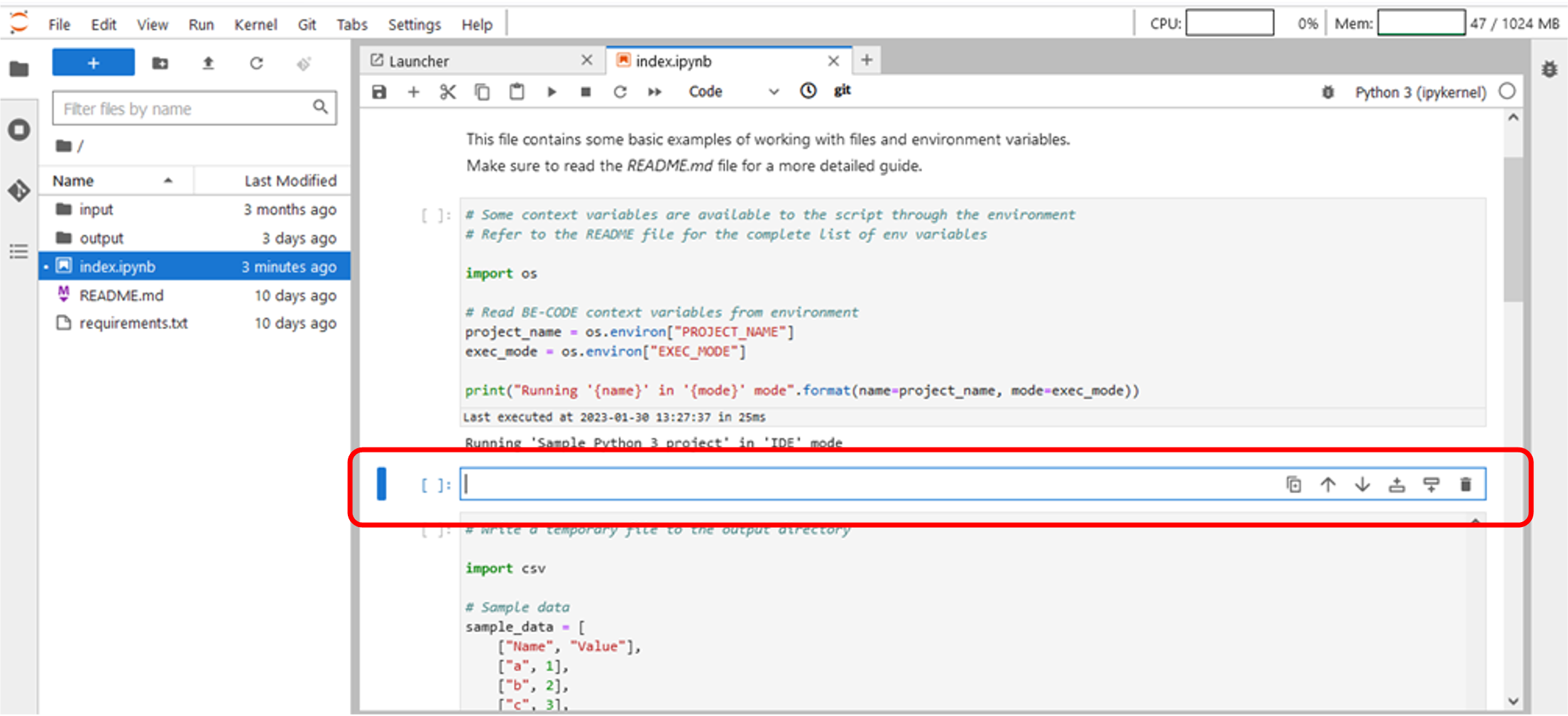
Figure 25 – New cell creation (2/2)
Select a cell and click on + button on the Notebook Bar to insert a new cell into the Notebook (Figure 24), below selected cell (Figure 25).
Figure 24 – New cell creation (1/2)
Figure 25 – New cell creation (2/2)