8. Archive the project
Completion requirements
The archive feature is a task provided for all types of projects (whether published or not) and for users with Project creator and Administrator roles only; specifically, it is possible that:
- the Project creator can archive at any time its own projects
- an Administrator can archived at any time all the projects
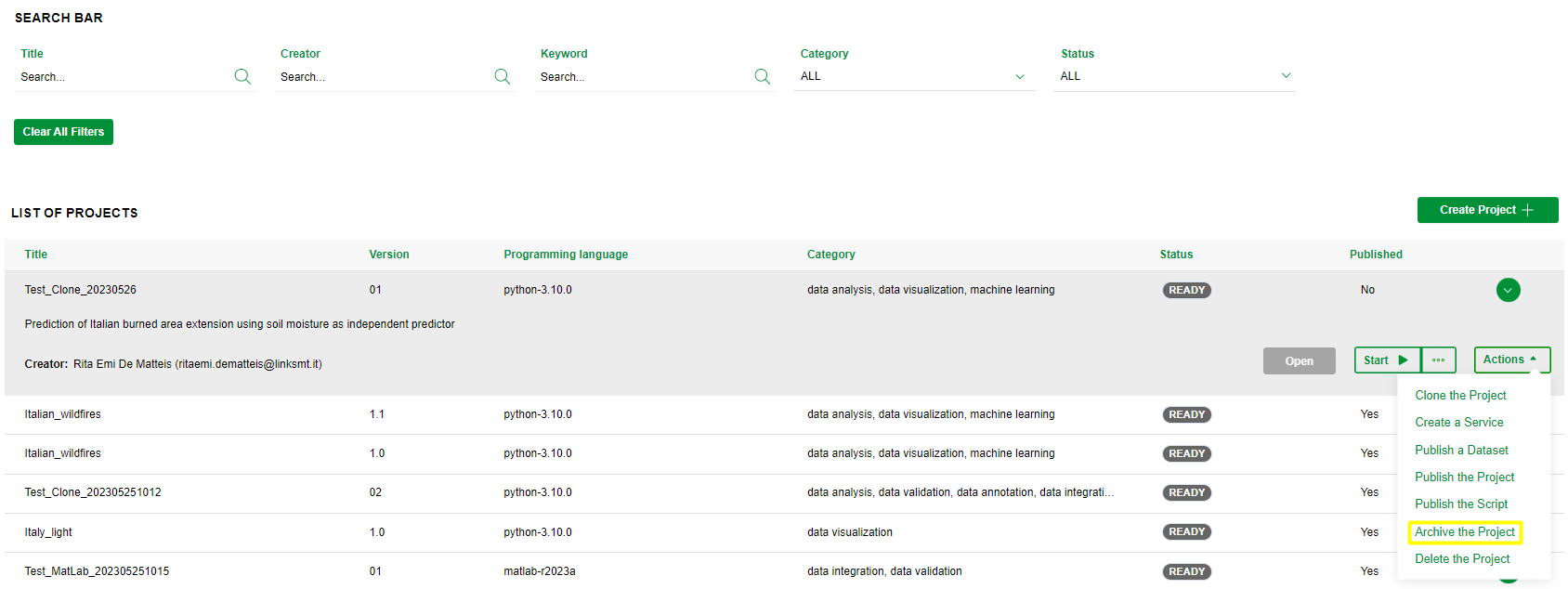
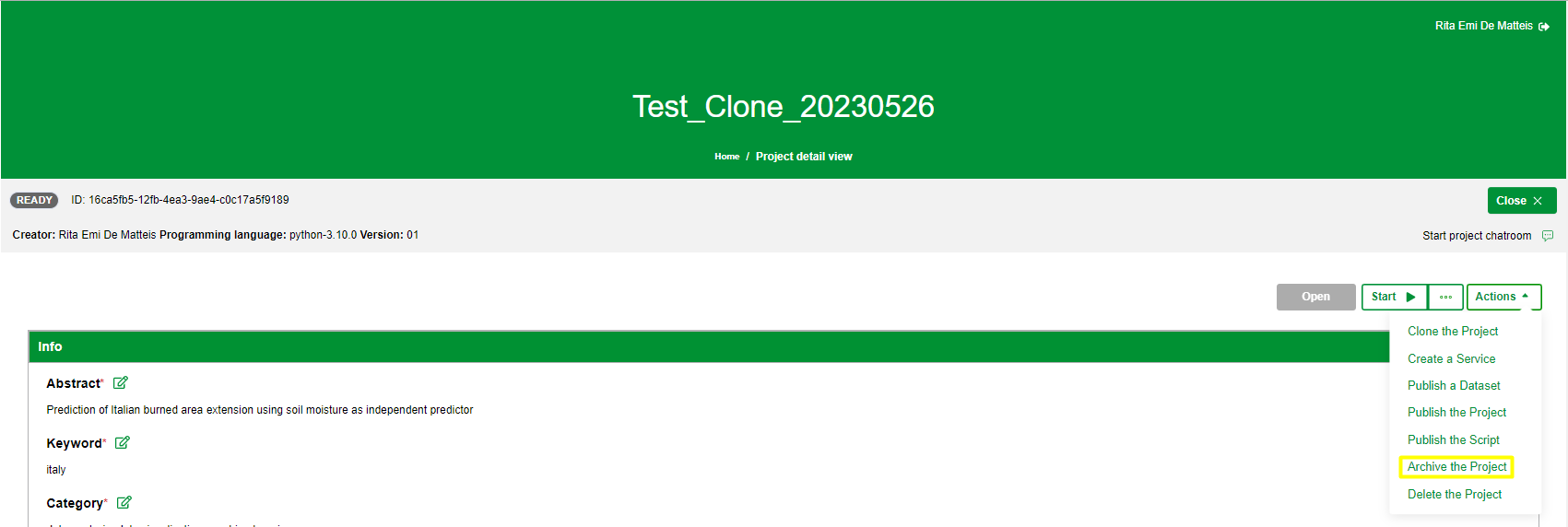
To archive a project you need to click on the Archive the project item on the Actions menu in the Dashboard or in the Project details view as shown in the images below
The system will put the project in To be archived status; this implies that:
- no actions will be available until the project will be in Archived status
- if IDE environment is running, it will be stopped
- any logs and outputs generated will be delated
When the project will be in Archived status, the Project Creator and the Administrator can restore it by clicking on Start button.