5. Run the service
Completion requirements
At the end of the request of publication, the system creates a web interface for the published service. To view the web service, you need to:
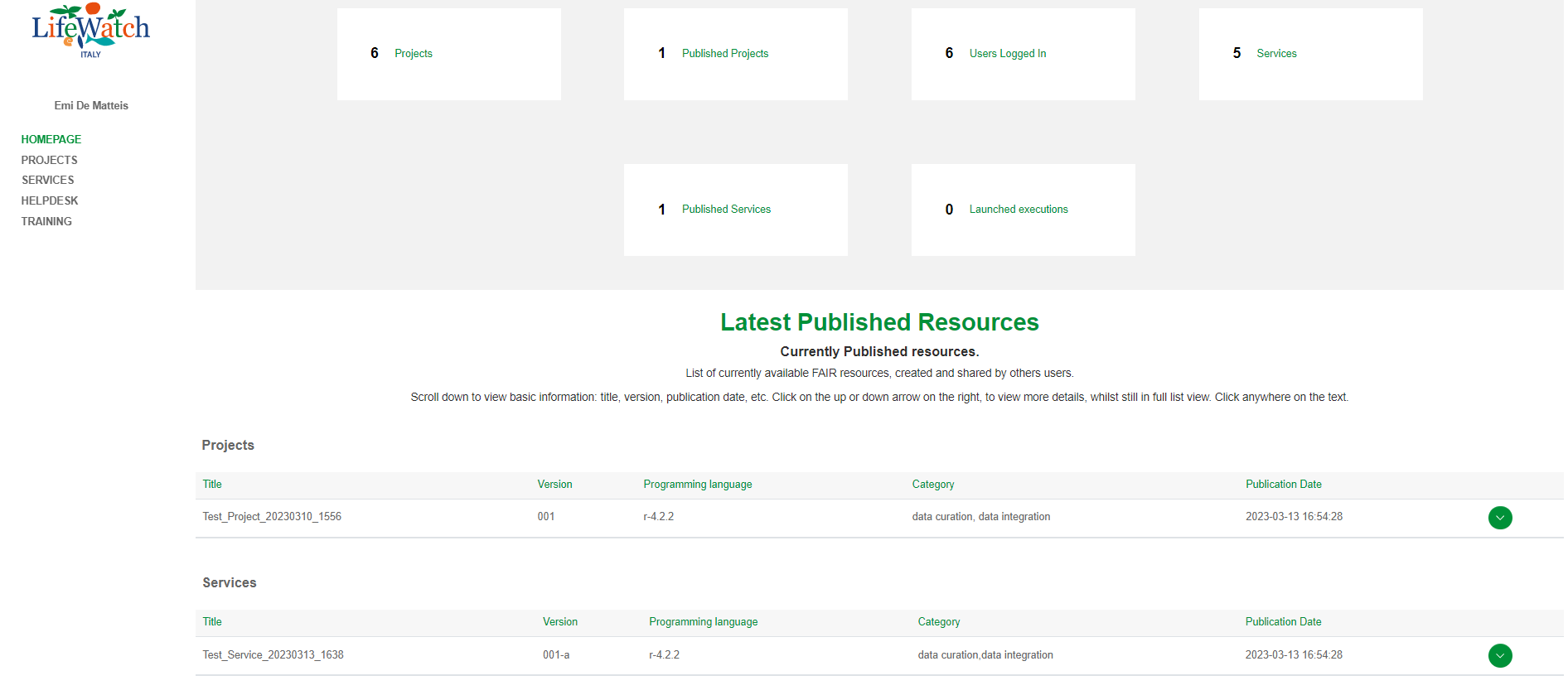
- Click on the relevant service record within the Homepage
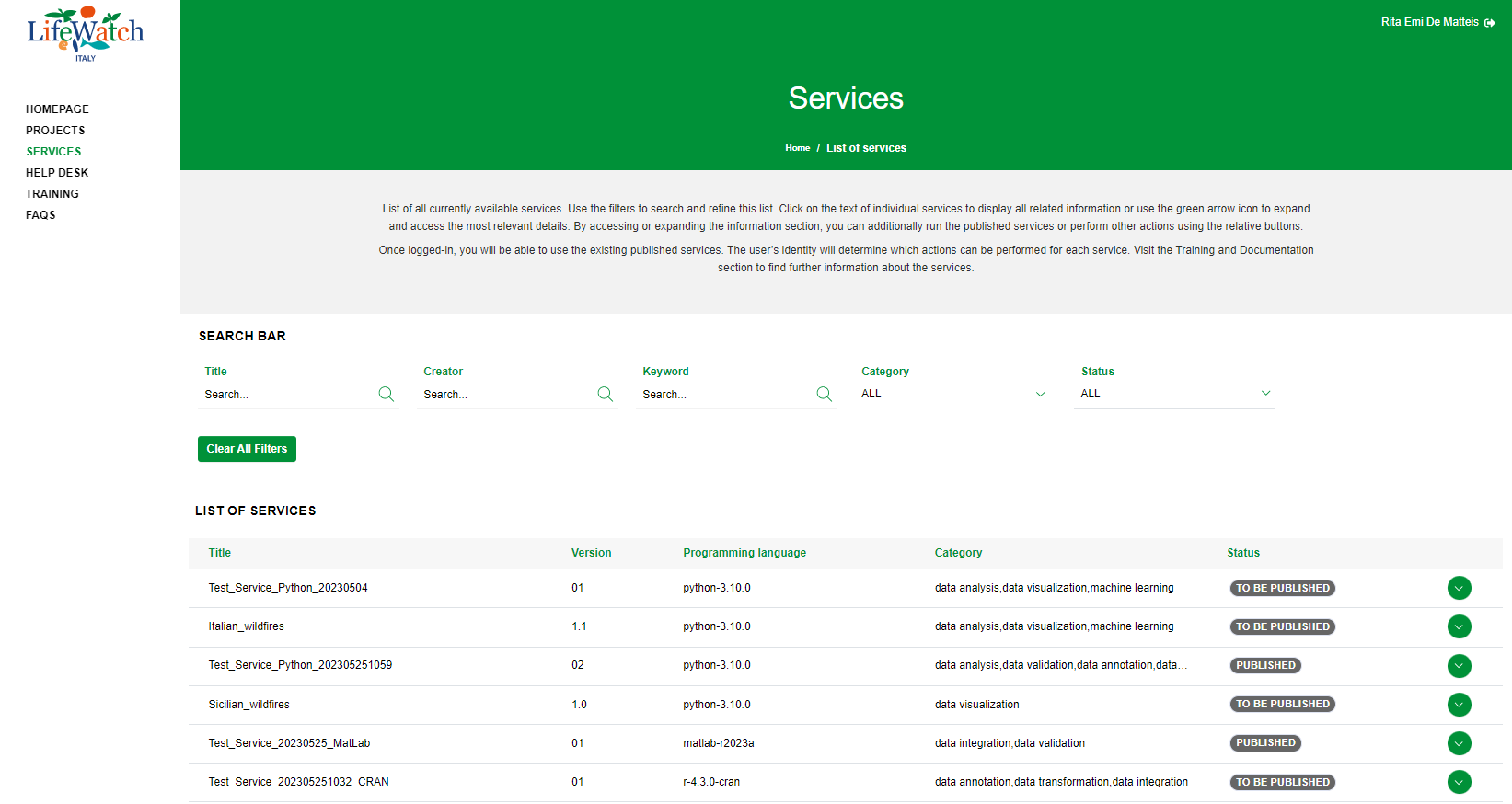
or List of Services
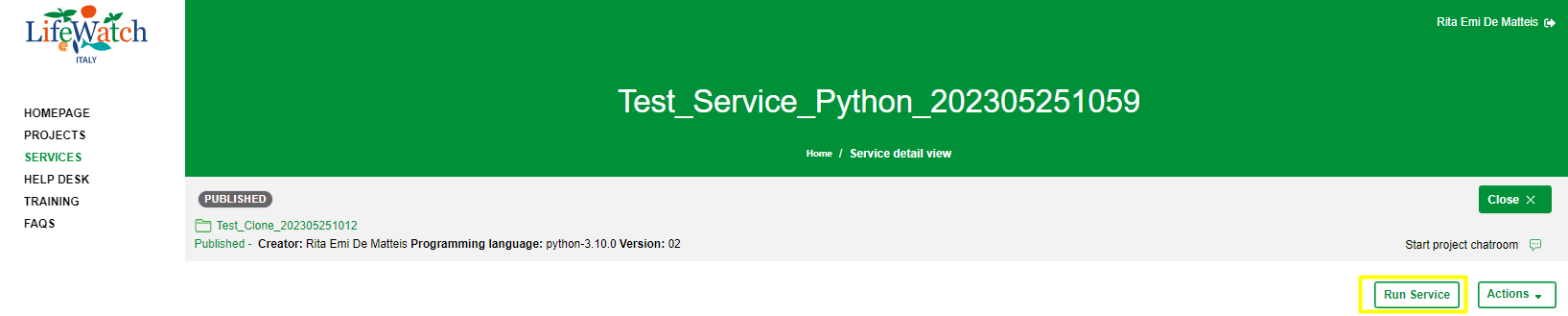
2. Click on Run Service button to open the web interface related to the selected service
3. Click on Step 1 - Upload or select input files to upload your input files or to select the default input files used in the service
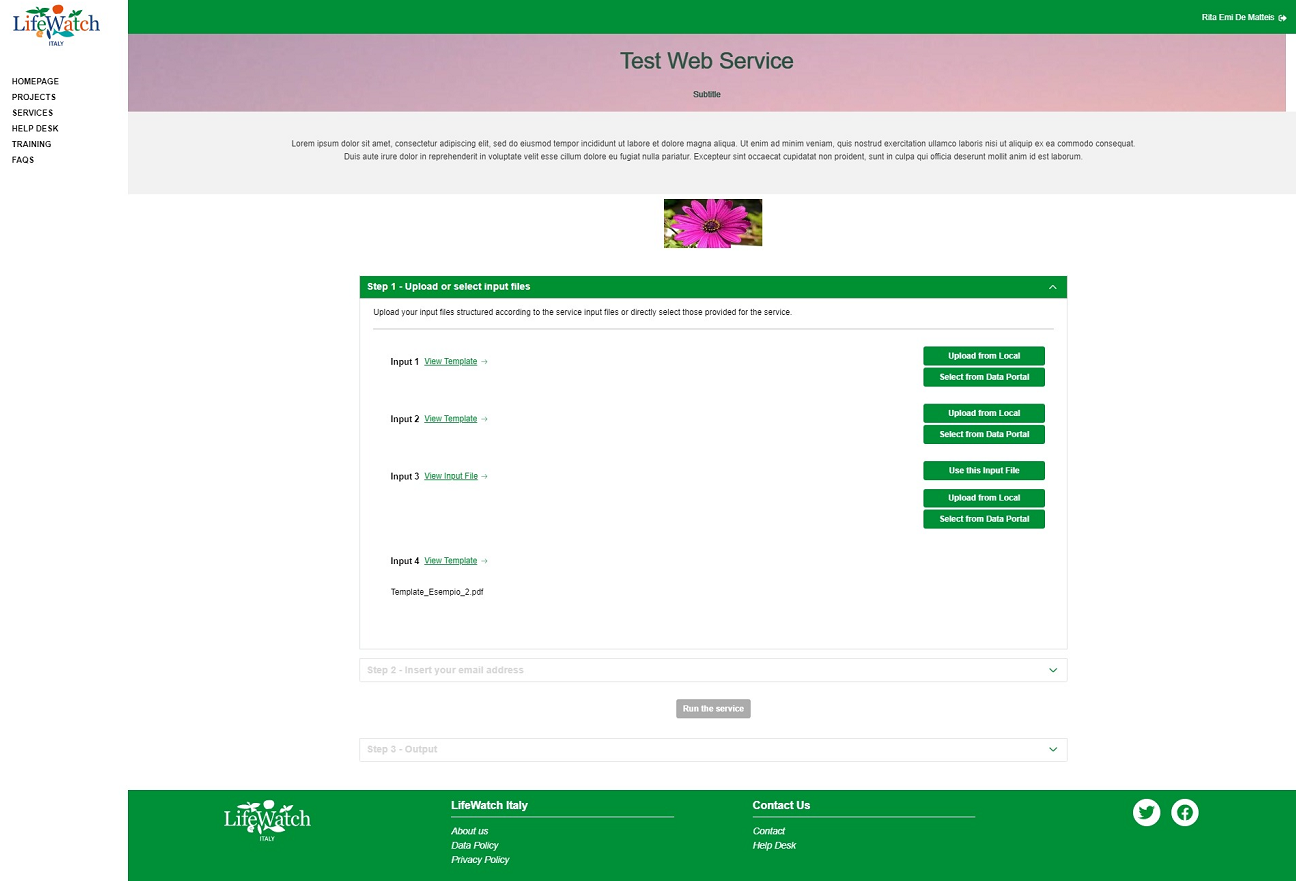
4. Click on Step 2 - Insert email address to insert your email address
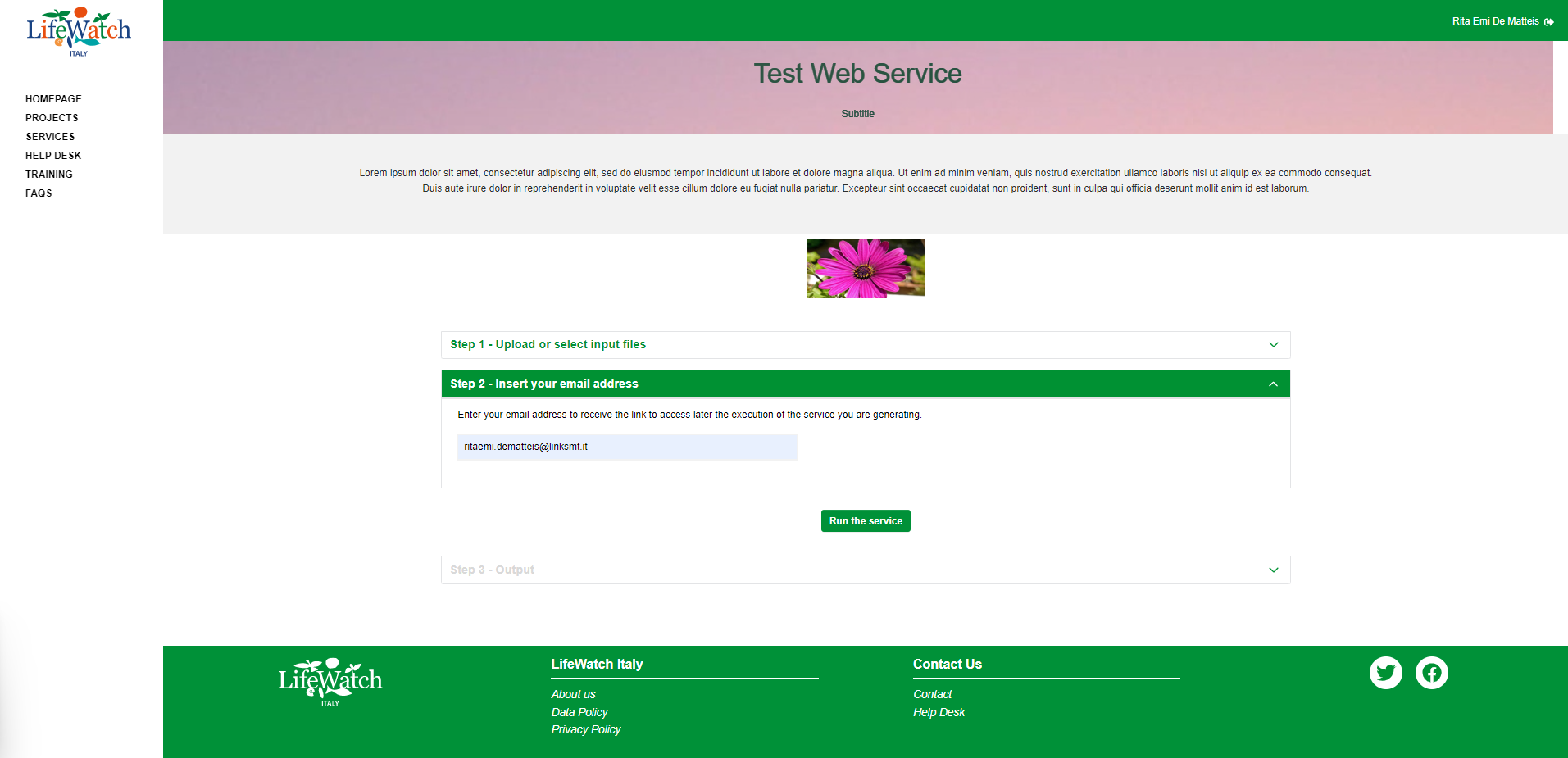
5. Click on Run the service button to execute it. Please note that, the button is available only if you have successfully uploaded the input files and if you have entered the email address.
At the end of the procedure, the system enables Log and Output sections.
Please note that:
- this action is available for all users authenticated and not
- the logs and outputs will be available for three days, after which they will be eliminated
- you will receive an email with the link to access the execution of the service just created
- the link of the execution of the service is available also by clicking on "Copy link" button.